-
Auteur :
 TCF Canada
- Feb 23, 2026
TCF Canada 2026: The Digital Shift - Computer-Based Testing, AI Surveillance, and New Exam Modalities
- Blog
- /
- Article
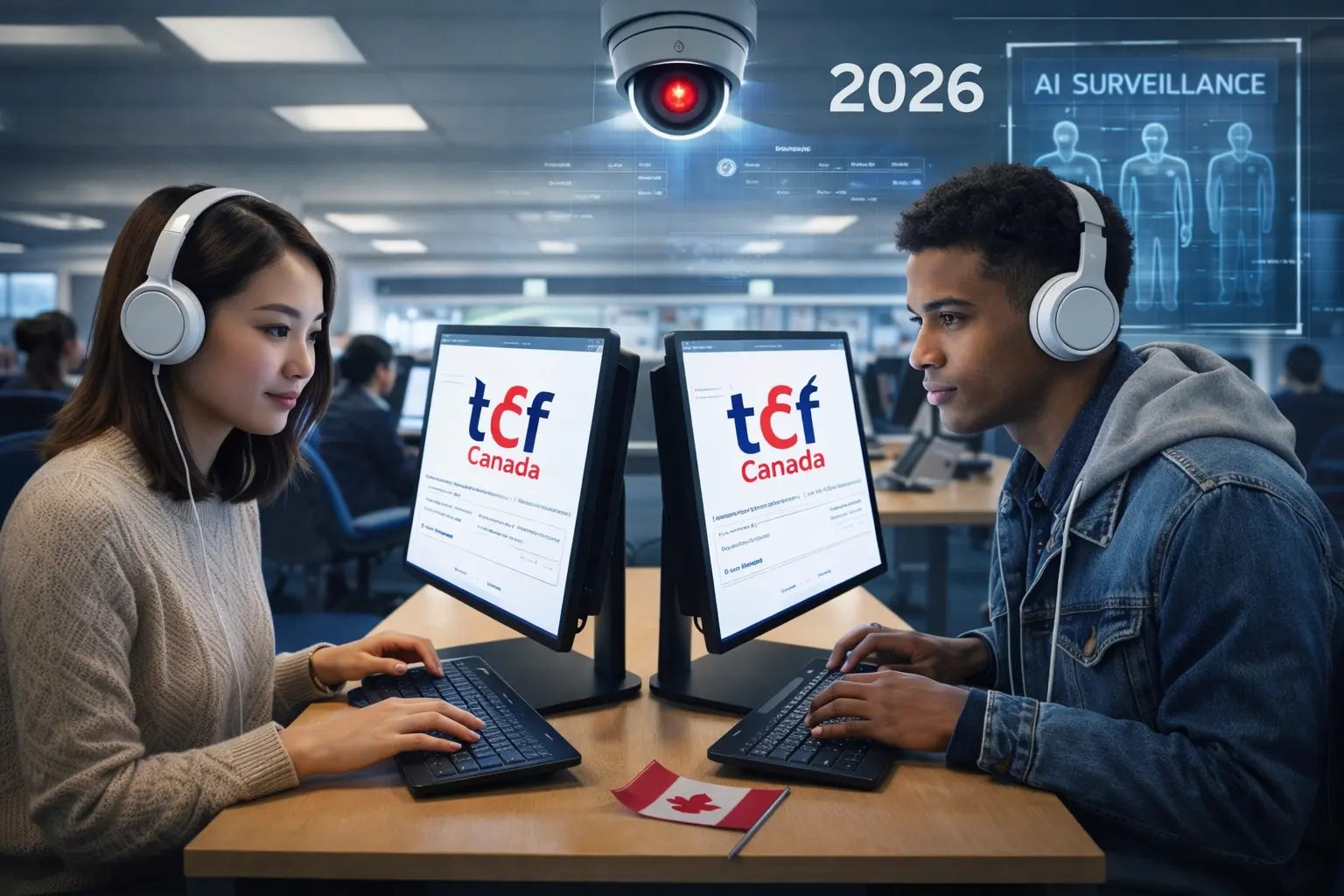
TCF Canada 2026: The Digital Shift - Computer-Based Testing, AI Surveillance, and New Exam Modalities
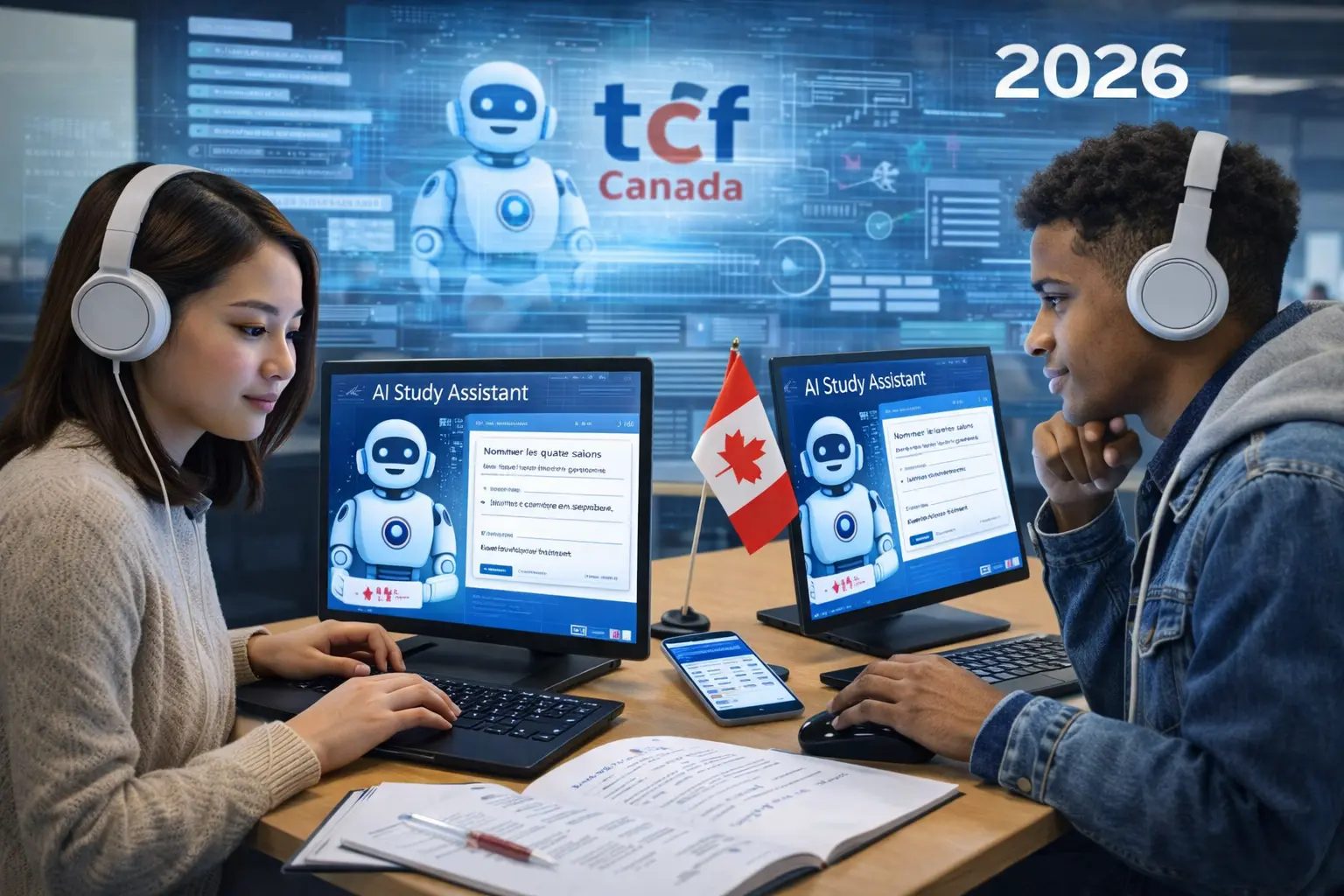
When Karim, a 38-year-old chartered accountant from Casablanca, booked his TCF Canada exam for April 2026 at the usual Casablanca test center, he expected to take a classic paper exam like he had for his previous professional certifications. "I arrive at the center, and instead of tables with answer sheets, I see a computer room with 30 computers, webcams everywhere, and an agent hands me professional noise-canceling headphones," he recounts, still surprised. "The coordinator explains that since January 2026, France Éducation International (FEI) has generalized the 100% digital format for TCF Canada with artificial intelligence surveillance system. In 15 seconds, a camera did my facial biometric scan, analyzed my ID, and created my secure profile. The listening comprehension exam was on computer with perfect audio via headset - no more crackling speaker problems that handicapped some candidates. For written expression, I typed my answers on an AZERTY keyboard with spell checker disabled and real-time word counter - incredible comfort vs. writing by hand for 60 minutes. But the most unsettling: oral expression. Instead of an examiner in front of me, I spoke facing a screen with my webcam recording, and an AI analyzing my pronunciation, flow, and even my hesitations in real time. The results? Available 3 business days after the exam (vs 2-3 weeks before). This technological transformation of TCF Canada radically changes the test experience, required preparation, and winning strategies - and 70% of current candidates have no idea."
The Digital Revolution of TCF Canada: Why This Change Now?
In November 2025, France Éducation International (FEI), the official organization that designs and manages TCF Canada, announced the generalization of digital format for all accredited test centers worldwide by June 2026. This radical change is part of a global modernization of French language certifications facing competition from other tests (IELTS, TOEFL already digital for years).
The 5 Strategic Reasons for Digitalization
| Reason | Old Format Problem | New Format Solution | Candidate Impact |
|---|---|---|---|
| 1. Security and Fraud | Document fraud (fake certificates), candidate substitution, paper cheating | Facial biometrics, continuous AI surveillance, cryptographic certificate uniqueness | Tamper-proof certificates, enhanced global recognition |
| 2. Results Timelines | Manual correction: 2-4 weeks | Automated LC/RC correction: 48h, AI expression scoring: 72h | Results 3-5 days vs 15-30 days (gain 10-25 days) |
| 3. Fairness and Standardization | Variable audio conditions (unequal quality speakers), handwriting legibility | Identical professional headset audio everywhere, uniform keyboard input | Strictly equal conditions for all candidates globally |
| 4. Accessibility for Disabilities | Limited paper adaptations (enlargement, extra time complex to manage) | Text zoom, adjustable contrasts, programmable breaks, speech synthesis | 3× higher inclusion for candidates with specific needs |
| 5. Pedagogical Analysis | Limited data (overall score only) | Detailed analytics: time per question, error patterns, real progress | Precise feedback for targeted future improvement |
International Deployment Calendar
- January 2026: Canada (all centers), France (Paris, Lyon, Marseille), Belgium (Brussels)
- February 2026: Morocco (Casablanca, Rabat, Fez), Tunisia (Tunis, Sfax), Algeria (Algiers, Oran)
- March 2026: Cameroon, Senegal, Ivory Coast, Lebanon, Romania
- April-May 2026: Rest of Francophone Africa, Asia, Latin America
- June 2026: 100% of global centers converted to digital format
Transition Period: Between January and June 2026, some centers offer choice of paper OR digital format. After June 2026, digital format only everywhere. If you have the choice, opt for digital - it's the future and offers concrete advantages (fast results, optimal conditions).
For comprehensive guidance on what to expect on test day with the new digital format, see: TCF Canada Test Day: Complete Guide for Optimal Performance.
Digital Format: Complete Description of the New Experience
Digital Written Expression: Keyboard Composition
Input Interface:
- Streamlined text editor (Notepad-type - not Word)
- AZERTY keyboard (France/Maghreb) or QWERTY (Canada) depending on center location
- Automatic accents (é à è ç ù) via standard keys
- SPELL CHECKER DISABLED (no red underlines, no suggestions)
- REAL-TIME word counter in lower corner: "147 words" (instant update)
- Visible timer: "Time remaining Task 1: 28:34"
Major Advantages:
- Typing comfort vs. handwriting for 60 min (zero hand cramps!)
- Easy modification (copy-paste, reorganize paragraphs)
- Precise word counter (no need to count approximately)
- Always legible text (no more illegible handwriting problem for grader)
- Auto-save (no possible loss)
For mastering written expression strategies in the digital format, see: TCF Canada Writing: 7 Master Structures That Guarantee NCLC 9 Excellence and TCF Canada Written Expression 2026: Complete Mastery Guide to Excellence (NCLC 7-9).
Digital Listening Comprehension: Professional Audio Quality
Audio Experience:
- Professional noise-canceling headphones (same model for all candidates)
- Individual volume control (adjust to your comfort level)
- Crystal-clear digital audio (no distortion, crackling, or background noise)
- Standardized sound levels across all test centers globally
- Test audio playback before exam starts to verify equipment
Interface Features:
- On-screen question display synchronized with audio
- Progress indicator showing current question number
- Flag system to mark questions for review
- Clear visual countdown timer
- Automatic progression to next question (no manual page turning)
Advantages Over Paper Format:
- No disadvantage for candidates seated far from speakers
- Elimination of external noise interference
- Consistent audio quality regardless of test center
- Reduced test anxiety from technical audio issues
- Fair playing field for all candidates
For comprehensive listening comprehension strategies optimized for digital format, see: TCF Canada Listening Comprehension: The Perfect 29-Question Method.
Digital Reading Comprehension: Enhanced Navigation
Digital Reading Interface:
- Split-screen display: passage on left, questions on right
- Adjustable text size (zoom in/out for comfort)
- Highlight tool to mark key information in passages
- Scroll or page-view options for reading preference
- Question navigation panel to jump between questions
- Review screen showing answered/unanswered questions at a glance
Strategic Advantages:
- No need to flip back and forth between pages
- Instant access to any question without losing place
- Visual highlighting replaces manual underlining
- Easier to review and verify answers before submission
- Time management aided by clear progress tracking
For advanced reading strategies leveraging digital format features, see: TCF Canada Reading Comprehension: Strategic Reading for 39 Perfect Questions.
Digital Oral Expression: Webcam Recording with AI Analysis
This is THE most controversial and unsettling modification of the digital format. Oral expression is no longer a human examiner/candidate face-to-face, but a video recording facing webcam with AI analysis.
How It Works:
- Candidate seated at computer workstation with webcam and microphone
- Questions appear on screen with preparation time countdown
- Recording automatically starts when response time begins
- Candidate speaks directly to camera (as if speaking to examiner)
- AI system analyzes multiple dimensions of speech in real-time
- Recording automatically stops at time limit
- Human evaluator reviews AI analysis and recording for final scoring
AI Scoring Analysis:
| Criterion | AI Analysis | Weight |
|---|---|---|
| Pronunciation | Phonetic recognition (French phonemes correctly articulated?) | 20% |
| Fluency | Words per minute rate, natural pauses vs hesitations | 15% |
| Lexicon | Vocabulary richness (unique words used, language level) | 15% |
| Grammar | Syntactic structures (verb tenses, agreements, sentence complexity) | 20% |
| Coherence | Discourse logic (connectors, transitions, idea organization) | 15% |
| Task Completion | Relevance to question, development depth, examples provided | 10% |
| Eye Contact | Camera gaze vs eyes down (confidence, engagement) | 5% |
Important Clarification:
While AI performs initial analysis, human evaluators review all recordings to ensure fair and accurate scoring. The AI serves as an analytical tool to help evaluators identify key performance indicators, but final scores are determined by certified human examiners following official FEI scoring rubrics.
For comprehensive oral expression strategies adapted to webcam recording format, see: Mastering TCF Canada Speaking: 15 Proven Techniques from Top Scorers (18-20/20).
Digital Format Specific Preparation: New Skills Required
Skill #1: Keyboard Typing Mastery (Written Expression)
Target Speed: 40-50 words/minute minimum (comfortable for 120-180 words in 30 min)
Recommended Training:
- Use TypingClub or Keybr - 15 min/day for 2 weeks
- Practice French accents: é (Alt+130), è (Alt+138), à (Alt+133), ç (Alt+135), ù (Alt+151)
- Time yourself: write 150 words in 10 minutes (TCF task simulation)
- Practice on simple text editors (Notepad, TextEdit) not Word processors
- Disable spell checker to simulate exam conditions
Typing Practice Exercises:
- Week 1: Basic typing drills focusing on accuracy over speed (TypingClub lessons 1-20)
- Week 2: Speed building while maintaining 95%+ accuracy (aim for 35-40 wpm)
- Week 3: French-specific practice - type sample TCF essays, focus on accent keys
- Week 4: Timed simulations - complete 150-word composition in 25 minutes (allowing 5 min review)
Common Typing Mistakes to Avoid:
- Looking at keyboard instead of screen (practice touch typing)
- Using backspace excessively (learn to edit efficiently with mouse/keyboard shortcuts)
- Forgetting accent marks (French grading penalizes missing accents heavily)
- Not using paragraph breaks (Enter key) for organization
- Typing too fast and creating many errors that require time-consuming correction
Skill #2: Webcam Communication (Oral Expression)
Practice Exercises:
- Week 1-2: Record yourself 5 min/day on phone in selfie video mode. Free topic. Look at camera lens, not your image.
- Week 3-4: Simulate TCF Task 1. Write yourself a question ("Describe your city"), start timer, speak 90 sec facing camera.
- Advanced Technique: Use Zoom or Google Meet. Create solo meeting, activate webcam, record, speak. Interface EXACTLY simulates digital TCF experience.
Webcam-Specific Best Practices:
- Camera Position: Eye level, arm's length distance, centered framing
- Lighting: Face well-lit (window/light source in front of you, not behind)
- Background: Plain, uncluttered (AI may be distracted by busy backgrounds)
- Eye Contact: Look directly at camera lens (not your image on screen) 80%+ of time
- Posture: Sit upright, both feet on floor, hands visible (natural gestures okay)
- Facial Expression: Natural, engaged, friendly (AI analyzes confidence indicators)
- Audio Clarity: Speak clearly toward built-in mic, avoid touching computer/desk (reduces noise)
Psychological Adaptation:
- Practice "talking to the camera" until it feels natural (10-15 sessions typically needed)
- Imagine the camera is a friendly interviewer, not a surveillance tool
- Review your recordings to identify nervous habits (touching face, looking away, filler words)
- Gradually reduce self-consciousness through repeated exposure
- Remember: AI analyzes linguistic content primarily, not appearance
Skill #3: Digital Navigation and Time Management
Interface Familiarization:
- Practice with online test simulators before exam day
- Learn to navigate between questions efficiently (Next/Previous buttons, question list)
- Understand flagging system to mark questions for review
- Master the review screen to verify all questions answered before submission
- Practice using on-screen timer to pace yourself (don't rely on watch)
Digital Time Management Strategies:
- Reading Comprehension: Use split-screen to reference passage while answering (no time lost flipping pages)
- Listening Comprehension: Note-taking on provided paper (screen is for questions only) - practice dual focus
- Written Expression: Use word counter to gauge progress (aim for 60-70% at halfway point)
- Final Review: Digital format allows quick navigation to flagged questions - budget 3-5 minutes for review
For comprehensive test day strategies incorporating digital format, see: Strategic TCF Canada Planning: The Proven 3-Month Method That Delivers Results.
Digital Results: Speed and New Detail
2026 Results Timelines
| Format | Old Timeline (Paper) | New Timeline (Digital) | Time Saved |
|---|---|---|---|
| Listening Comprehension | 15-20 days | 48 hours | -13 to -18 days |
| Reading Comprehension | 15-20 days | 48 hours | -13 to -18 days |
| Written Expression | 20-30 days | 5-7 days | -15 to -23 days |
| Oral Expression | 20-30 days | 5-7 days | -15 to -23 days |
| Complete Official Certificate | 4-6 weeks | 7-10 days | -17 to -35 days |
Enhanced Digital Score Report
Beyond faster delivery, digital format provides unprecedented detail in score reporting:
New Data Points Available:
- Listening/Reading: Time spent per question, questions flagged for review, accuracy by passage type
- Written Expression: Words per task, time per task, editing patterns (additions/deletions), lexical diversity score
- Oral Expression: Speaking rate (words/minute), pause frequency, pronunciation accuracy by phoneme, grammatical structure diversity
- Comparative Analytics: How your performance compares to other candidates at your NCLC level
- Improvement Recommendations: AI-generated suggestions for targeted practice areas
Strategic Value for Retakes:
If you need to retake TCF Canada, digital analytics pinpoint exact weaknesses. For example: "Oral expression: strong vocabulary (85th percentile) but fluency issues (hesitation rate 40% above NCLC 9 average) - practice fluency drills." This precision dramatically improves retake success rates.
For guidance on analyzing results and planning improvement, see: Decoding Your TCF Canada Results: Analysis and Improvement Guide.
Technical Requirements and Troubleshooting
Test Center Computer Specifications
Standardized Equipment (All Centers):
- Windows 10/11 or MacOS Monterey+ operating system
- 1920x1080 minimum screen resolution (21-24 inch monitors typical)
- Professional webcams (1080p minimum, 30fps)
- Noise-canceling headphones with microphone (Sennheiser/Sony equivalent quality)
- Ergonomic keyboard and mouse
- High-speed internet connection (backup systems for outages)
- Uninterruptible power supply (UPS) for power failure protection
Common Technical Issues and Solutions
| Issue | Frequency | Solution | Impact |
|---|---|---|---|
| Audio not working | 1-2% of candidates | Technical staff troubleshoot immediately, provide backup headset if needed | Usually resolved in 2-3 minutes, extra time granted |
| Webcam malfunction | 1% of candidates | Move to backup workstation, oral recording redone if affected | 10-15 minute delay, no scoring penalty |
| System freeze/crash | 0.5% of candidates | Auto-save recovers progress, restart at last completed question | 5-10 minute delay, time compensated |
| Internet outage | 0.2% of centers | Offline mode activates (responses saved locally), syncs when connection restored | No impact on candidate |
| Power failure | 0.1% of centers | UPS provides 30+ minutes backup power, generator for extended outages | Exam continues uninterrupted |
Your Rights as a Candidate
If technical issues occur:
- Immediately notify test administrator (raise hand, don't leave workstation)
- Technical staff will assess and resolve (trained to handle all common issues)
- Time lost to technical problems is added back to your exam time
- If issue cannot be resolved, you are entitled to free retake at earliest available date
- No penalty to your score for technical malfunctions beyond your control
- Incident is documented in official exam report for immigration purposes
Important: 99%+ of digital TCF exams proceed without any technical issues. Test centers undergo rigorous technical audits and equipment maintenance protocols to ensure reliability.
Advantages and Disadvantages: Honest Assessment
Clear Advantages of Digital Format
- ✅ Results Speed: 7-10 days vs 4-6 weeks (critical for immigration timelines)
- ✅ Audio Quality: Perfect, consistent sound eliminates unfair disadvantages
- ✅ Writing Comfort: Typing > handwriting for speed, legibility, editing
- ✅ Detailed Analytics: Precise feedback enables targeted improvement
- ✅ Accessibility: Better accommodations for disabilities
- ✅ Security: Biometrics eliminate fraud, enhance certificate credibility
- ✅ Global Standardization: Truly equal conditions worldwide
- ✅ Time Management: Visible timers and progress indicators reduce anxiety
Potential Challenges of Digital Format
- ⚠️ Technology Anxiety: Some candidates uncomfortable with computers (solvable with practice)
- ⚠️ Webcam Speaking: Initially unnatural for many (requires specific preparation)
- ⚠️ Typing Speed: Candidates with poor typing skills disadvantaged (trainable in 2-4 weeks)
- ⚠️ Technical Dependence: Rare technical glitches can disrupt (but protocols exist)
- ⚠️ Digital Divide: Candidates from areas with limited computer access need familiarization
- ⚠️ AI Scoring Concerns: Some worry about AI accuracy (but human verification ensures fairness)
Bottom Line: The advantages significantly outweigh the challenges, and all challenges are addressable through targeted preparation. The digital format represents genuine progress in standardized language testing.
Resources and Digital Format Training
Conclusion: Embracing Technological Change
The transition of TCF Canada to 100% digital format in 2026 marks the end of an era and the beginning of a radically modernized candidate experience. This transformation is not a simple cosmetic digitization but a complete overhaul: perfect audio quality via professional headsets, keyboard writing comfort with real-time word counter, results in 3-5 days vs 4 weeks, and detailed analytical feedback enabling targeted improvement.
The digital format introduces new requirements: keyboard typing mastery (40+ words/min), webcam communication ease, familiarity with computer interface navigation. But these skills have become universal in the 21st century - and their acquisition takes only 2-4 weeks of targeted training. Candidates who proactively embrace this change will see their TCF Canada preparation rewarded with scores that faithfully reflect their true linguistic skills.
The digital revolution in language testing is not just about convenience - it's about fairness, accessibility, and precision. Every candidate now faces identical conditions: same audio quality, same keyboard, same time management tools, same AI-assisted evaluation. Your success depends purely on your French proficiency and strategic preparation, not on luck of the draw regarding room acoustics, examiner mood, or handwriting legibility.
Your Digital Format Action Plan:
- Week 1-2: Build typing speed to 40+ wpm using TypingClub/Keybr (15 min daily)
- Week 2-3: Practice webcam speaking - record 5-minute videos daily on phone/computer
- Week 3-4: Simulate complete digital exam conditions using online practice platforms
- Week 4: Take full-length digital practice test, analyze performance with timing data
- Ongoing: Integrate digital tools into all TCF preparation (type essays, record speaking, use online resources)
The future of language certification is digital, and that future is now. Those who adapt will thrive; those who resist will struggle unnecessarily. Master the tools, embrace the technology, and let your French proficiency shine through without technological barriers. Your Canadian dream awaits - and the digital TCF Canada is your modernized pathway to achieving it. 🇨🇦
For additional success stories and insights from candidates who have mastered the digital format, see: Inspiring Testimonials: How They Succeeded in Their TCF Canada.
* * *
Frequently Asked Questions
By mid-2026, the official plan is for test centers worldwide to run TCF Canada in a fully digital (computer-based) format. During the transition period, some centers may still offer limited paper sessions, but the long-term standard is digital.
The core language skills remain the same (listening, reading, writing, speaking), but the delivery changes your strategy: typing replaces handwriting, navigation is on-screen, and speaking may be recorded via webcam instead of face-to-face in some centers.
Digital sessions may include identity verification (ID checks, photo/face match) and continuous monitoring (webcam and system controls). The goal is exam security and standardization, not changing the content you must answer.
Multiple systems can assist scoring (analytics on fluency, lexical diversity, timing), but final scoring is typically aligned with official rubrics and often involves certified human review, especially for productive skills (speaking/writing).
Underestimating digital skills: slow typing, poor on-screen time management, and discomfort speaking to a webcam. These are solvable with 2–4 weeks of targeted practice.
Yes. Centers usually use the local standard keyboard layout. If you are used to a different layout, practice typing French accents and common connectors on the same layout to avoid losing time during writing tasks.
Test centers have procedures for interruptions (equipment replacement, workstation change, time compensation, incident logging). Report issues immediately to the administrator and follow instructions without leaving your station.
Digital delivery usually accelerates processing because listening/reading can be corrected automatically and all responses are captured instantly. Timing varies by center, but digital is designed for significantly faster turnaround than paper.
Laissez un commentaire
Votreadresse email ne sera pas publie. Les champs obligatoires sont marque avec *

 TCF Canada Hub
0 Commentaires
aucun commentaire
Soyez le premier a partager votre avis !